
iPhone Repairs Melbourne: Common Repairs We Fix
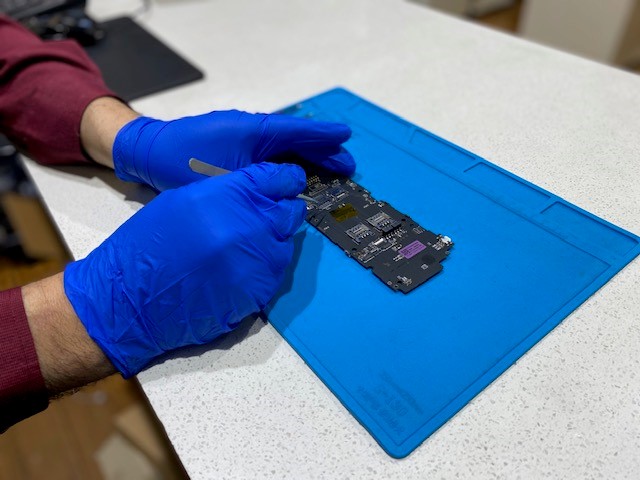
iPhones are built for everyday use, but constant handling, accidental drops, moisture and repeated charging can eventually take their toll. From cracked displays and ageing batteries to charging faults and internal hardware problems, there are plenty of issues that can affect an iPhone over time.
At AMT Electronics, we regularly repair iPhones at our Melbourne CBD repair centre. One thing we have found through years of repairs is that the obvious symptom isn't always the actual cause.
For example, an iPhone that refuses to charge could have a damaged charging port, a worn battery, a faulty cable or an issue with its internal charging circuitry.
Our technicians inspect the device and investigate the underlying fault before recommending a repair. Here are some of the most common iPhone problems we see across Melbourne and what can cause them.
Cracked and Broken iPhone Screens
A damaged display is one of the most common reasons people seek out an iPhone repair specialist.
Modern iPhone screens contain several layers working together, including the outer glass, OLED or LCD display panel and digitiser responsible for detecting touch input. A significant impact can damage one or several of these components.
For example, a phone dropped onto concrete may crack the outer glass while leaving the display underneath functional. In other situations, the display panel or internal connectors can be damaged even when there is little visible cracking.
Common screen symptoms include:
- Cracked or shattered glass
- Parts of the touchscreen becoming unresponsive
- Ghost touch
- Display flickering
- Lines appearing across the screen
- Black spots or discolouration
- Reduced touch sensitivity
A good case and screen protector can provide additional protection against everyday impacts, but they cannot prevent every type of damage. When the display itself has been affected, screen replacement may be required.
iPhone Battery and Power Issues
Like all rechargeable lithium ion batteries, iPhone batteries gradually lose capacity as they go through charge cycles. How quickly this happens can depend on factors such as usage, charging habits, temperature and the quality of charging accessories.
Apple batteries are designed to retain around 80% of their original capacity after approximately 500 complete charge cycles under typical conditions. For people using their iPhone every day, noticeable battery degradation can occur after several years.
A battery can still appear to hold charge while becoming less capable of delivering the power required during demanding tasks. This can sometimes result in unexpected shutdowns.
Some common battery warning signs include:
- Battery draining much faster than normal
- Unexpected shutdowns
- Excessive heat during everyday use
- Battery percentage dropping unusually quickly
- Very short battery life
- Battery struggling to hold a charge
Why Does an iPhone Turn Off at 20% or 30%?
An iPhone shutting down while the battery indicator still shows 20% or 30% can be confusing.
The displayed percentage isn't necessarily the direct cause. A degraded battery may struggle to deliver the sudden increase in power required by the processor during demanding tasks.
The Battery Health section under Settings > Battery > Battery Health & Charging can provide useful information about battery capacity, but it doesn't tell the whole story about how well the battery can handle peak power demands.
As a battery ages, its voltage can drop more sharply under load. If the battery cannot supply enough power, the iPhone may shut itself down to protect the device.
iPhone Charging Port Faults
Charging ports experience plenty of physical use throughout the life of an iPhone. Repeatedly plugging and unplugging cables exposes the port to wear, dust, lint and accidental pressure.
With continued use, charging contacts can become worn or damaged. Cables inserted at an angle can also put additional stress on the connection.
One common warning sign of a damaged charging port is an iPhone that only charges when the cable is positioned in a particular way.
Other symptoms can include charging repeatedly starting and stopping or the phone failing to recognise the cable.
Potential causes include:
- Dust and lint buildup
- Damaged charging contacts
- Physical wear
- Liquid exposure
- Faulty charging cables
- Problems with internal charging circuitry
It is important to be careful when cleaning an iPhone charging port. Using pins, needles or other sharp objects can damage the contacts inside. Persistent charging issues should be inspected by a technician.
iPhone Water and Liquid Damage
Liquid exposure is another issue we frequently encounter at our Melbourne CBD repair centre.
An iPhone might be exposed to rain during a Melbourne commute, dropped near a pool, splashed with a drink or exposed to moisture in another environment.
Water damage can affect many different components depending on where the liquid enters the device.
Potential problems include:
- Charging faults
- Speaker problems
- Microphone failure
- Camera issues
- Faulty buttons
- Display problems
- Internal circuit damage
If your iPhone has been exposed to liquid, avoid repeatedly switching it on to check if it still works. Having the device professionally inspected can help determine the extent of the damage and reduce the risk of further problems.
How Much Protection Does an iPhone's IP Rating Provide?
Many recent iPhone models have an IP68 rating, meaning they have been tested for resistance to water and dust under specific controlled conditions.
However, an IP rating doesn't mean an iPhone is completely waterproof. Testing is performed under laboratory conditions and doesn't account for factors such as ageing seals, previous damage or exposure to different types of liquid.
Pool water, salt water, soft drinks and other liquids can present different risks from the fresh water used during testing.
Liquid damage also isn't automatically covered simply because an iPhone has an IP rating.
Why Can an iPhone Work After Getting Wet and Fail Later?
Liquid damage doesn't always appear immediately.
An iPhone may continue working after getting wet, particularly if it is switched off quickly. However, moisture left inside the device can gradually contribute to corrosion on components such as logic board contacts, connectors and flex cable terminals.
This means a phone that appears fine immediately after liquid exposure could develop charging, camera or audio problems days or even weeks later.
Continuing to power the device on or connect it to a charger can make the situation worse if corrosion is already present. The safer approach is to switch the device off and have it assessed before attempting to charge it.
iPhone Camera Problems
Modern iPhone cameras contain sophisticated components that can be affected by drops, impacts and moisture.
One important component is optical image stabilisation, or OIS. This system physically adjusts parts of the camera to compensate for hand movement and help produce sharper images.
A significant impact can affect this mechanism, potentially resulting in blurry photographs, unusual camera movement or audible vibration.
Camera problems can therefore occur even when the exterior camera glass appears undamaged.
Speaker and Microphone Issues
Problems with speakers and microphones can have a major effect on everyday iPhone use.
A damaged or blocked speaker may produce muffled or distorted audio, while a microphone problem can make it difficult for other people to hear you during calls.
Common symptoms include:
- Muffled audio
- Distorted speaker output
- Low volume
- Microphone cutting in and out
- Poor call quality
- Unclear voice recordings
Debris and physical damage can contribute to these issues, while moisture exposure can also affect internal audio components.
If audio problems begin after a drop or liquid incident, it's worth having the phone inspected rather than assuming the speaker or microphone itself is the only component affected.
The power, volume and silent controls can also experience wear because they are used so frequently.
For anyone relying on their iPhone for work, communication, photography or content creation, these faults can quickly become disruptive.
Face ID and iPhone Sensor Faults
Face ID and the various sensors inside an iPhone are complex components that can be affected by drops, screen damage or previous repairs.
Potential warning signs include:
- Face ID becoming unavailable
- Face ID failing to recognise the user
- Proximity sensor problems during calls
- The display remaining active when the phone is held against your face
- Sensors behaving inconsistently
These problems aren't always resolved by replacing an obvious external component. A proper diagnostic assessment can help determine which part of the device has been affected and what repair options are available.
iPhone Freezing, Crashing and Performance Problems
Not every iPhone problem is related to physical hardware.
Software issues can cause an iPhone to freeze, crash, restart unexpectedly or become noticeably slower. Individual apps can also fail to open or operate correctly.
Before replacing hardware, a technician can assess the device to determine if the problem appears to be software related.
This is important because replacing a physical component won't resolve an issue caused by software, settings or an operating system problem.
Wi Fi, Bluetooth and CarPlay Connectivity Problems
As iPhones become increasingly connected to other devices, connectivity faults can become particularly frustrating.
An iPhone may have difficulty connecting to:
- Wi Fi networks
- Bluetooth headphones
- Smartwatches
- Vehicles
- Apple CarPlay
Some connection issues can be resolved through software troubleshooting, resetting settings or reconnecting the relevant device.
However, if connectivity problems appear after a drop or liquid exposure, there may be an underlying hardware fault.
Our technicians consider the symptoms and the device's history when determining the most likely cause before recommending a repair.
Professional iPhone Repairs in Melbourne CBD
Not every iPhone issue requires an immediate repair, but leaving certain faults unresolved can sometimes allow them to become more serious.
A professional repair can often extend the useful life of an iPhone that still has plenty of life left, helping you avoid replacing the entire device unnecessarily.
If your iPhone isn't working as it should, contact AMT Electronics for professional assessment at our Melbourne CBD repair centre. Our technicians can investigate the problem, explain the available repair options and help you make an informed decision about your device.
Disclaimer
This article is provided free of charge for public information. We do not guarantee, and accept no legal liability for, the accuracy, reliability, currency, or completeness of the content or any linked material. Users should apply their own judgment and verify the material’s relevance to their needs. This article is a general summary and not a substitute for legal or professional advice. Users should seek appropriate advice for their circumstances. Any third-party views expressed do not necessarily reflect ours or imply endorsement.