
iPhone Repairs Melbourne: Mic, Camera & Speaker Problems Explained
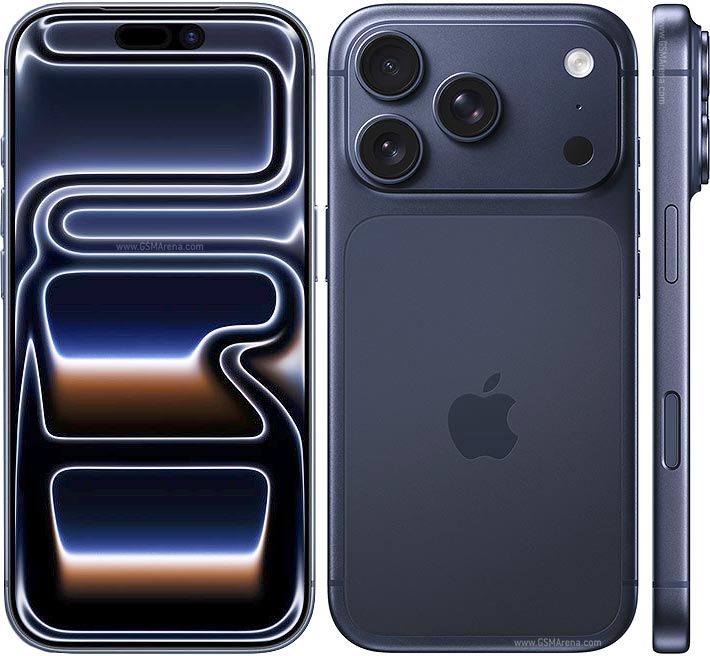
Your iPhone handles far more than phone calls. It takes your photos, records your videos, keeps you connected in work meetings and guides you through Melbourne’s streets. Behind all of that, its cameras, microphones, speakers and other parts are working hard every day.
When just one of those parts starts to fail, a phone that looks perfectly fine can become a real struggle to use. Calls might sound muffled, photos may turn out blurry, or your microphone might stop picking up your voice.
At AMT Electronics, we know that finding the true cause of a fault is a big part of getting an iPhone repair right. Problems that seem alike on the surface can have very different causes, from drops and moisture to software issues and internal part failure.
Read on for a closer look at common iPhone hardware problems, what triggers them and how a professional diagnosis helps pinpoint the right repair.
How to Spot iPhone Microphone Problems
A faulty microphone can disrupt phone calls, voice messages, video recordings and any app that depends on audio. The signs can vary depending on which microphone is affected and how you’re using your iPhone.
Common signs include:
- People finding it hard to hear you on calls
- Voice recordings sounding muffled or distorted
- Videos capturing little or no sound
- Voice commands not recognising what you say
- Audio cutting in and out mid-conversation
What Makes an iPhone Microphone Fail?
Dust and debris can collect around the microphone openings and restrict sound. Drops and knocks can damage internal parts, while liquid exposure may affect the microphone or the circuitry around it.
Software and settings play a part too. If your microphone works in one app but not in another, the issue may come down to app permissions or software behaviour rather than a faulty part.
For iPhone microphone repairs in Melbourne, AMT Electronics carries out a proper assessment first. This lets us tell the difference between a blocked opening, a software fault and a possible hardware issue before recommending a repair.
Avoid pushing pins or other sharp objects into the microphone openings, as they can damage the delicate parts inside.
iPhone Camera Issues: Blurry Photos, Focus Problems and More
A camera that won’t work properly is especially frustrating when you rely on your iPhone for work, content creation or everyday snaps.
Camera faults can develop after an accidental drop, pressure damage, liquid exposure or normal wear.
Common symptoms include:
- Blurry images even after cleaning the lens
- The camera failing to focus
- A black screen when opening the camera app
- Shaking or vibrating images
- Cracked camera glass
- Strange spots or marks on your photos
- Rear or front camera not working
Start by checking the outer lens glass for fingerprints, dirt or visible damage. If cleaning the lens doesn’t help, the fault may be internal.
iPhones with optical image stabilisation (OIS) use a mechanism that moves the camera to make up for hand movement. A heavy impact can damage this mechanism and cause blurry images or unusual vibration.
Camera faults can also involve the autofocus system, the camera assembly or internal connections, and the correct repair depends on which part is affected. A damaged lens cover may need a different repair from a faulty camera module. This is why professional diagnosis matters for iPhone camera repairs in Melbourne.
Problems With Face ID and Sensors
Camera faults can also affect Face ID. Modern iPhone models rely on advanced sensors for Face ID and for controlling the screen automatically during calls.
When these systems stop working properly, the cause could be software, physical damage or a fault in the related components.
Symptoms can include:
- Face ID becoming unavailable
- Difficulty recognising your face
- The screen staying active against your face during calls
- Sensors behaving inconsistently
These issues can be more complex than they first seem. Face ID components are closely linked with the rest of the device, so repair options depend on the model, the fault and the parts affected.
Our technicians assess the symptoms and explain the available options, without assuming that replacing one part will solve the problem.
iPhone Speaker Faults and Distorted Sound
Speaker problems can affect calls, notifications, video playback and music.
You might notice your iPhone sounds quieter than usual, produces distorted audio or stops playing sound through one of its speakers.
Possible causes include:
Dust or debris blocking the speaker grilles
- Liquid exposure
- Physical impact
- Damaged speaker parts
- Software or audio setting issues
Before booking a repair, check your volume settings and test the sound in a few different apps. If the problem continues, the speaker or another part of the audio system may need to be inspected.
Avoid using sharp tools to clean the speaker grille. Removing surface debris can help, but pushing objects into the openings can damage internal parts.
For ongoing distortion or a complete loss of sound, our iPhone speaker repairs in Melbourne start with an assessment of the speaker. From there, we work out if cleaning, software troubleshooting or a part replacement is needed.
iPhone Buttons and Controls Not Working
Your iPhone’s physical buttons get used constantly, which makes them prone to wear and accidental damage. Problems can affect the power button, volume buttons, Action button or other controls, depending on the model.
A button might feel stiff, respond inconsistently or stop working altogether. Drops can damage the button mechanism or internal connections, and moisture and debris can also cause problems.
Before assuming a button needs replacing, check for software-related causes. If the button stays unresponsive or feels physically damaged, a professional inspection can find the underlying fault.
Haptic Motor Repairs for iPhones
The haptic motor creates the tactile feedback you feel when using your iPhone’s touch interface. It produces the subtle vibrations behind notification alerts, keyboard feedback and certain system controls. If those vibrations become weak, inconsistent or stop entirely, the haptic motor or its related hardware may be at fault.
Before recommending Haptic Motor repairs, our technicians check your iPhone’s settings and software to rule out simpler causes. If the problem points to hardware, we assess the haptic motor and carry out the right repair to restore your iPhone’s tactile feedback.
Can Software Issues Mimic Hardware Faults?
Not every iPhone fault needs a physical repair. Software glitches, outdated apps, incorrect permissions and system settings can sometimes cause problems with cameras, microphones, speakers and connectivity.
For example, a microphone may work normally on a phone call but fail in a particular app because that app doesn’t have microphone permission.
Similarly, a camera app that freezes or shows a black screen may have a software issue rather than a damaged camera.
Basic troubleshooting includes restarting your iPhone, checking the relevant permissions and installing any available iOS updates.
If the problem persists, a professional diagnosis can confirm if a hardware fault is involved. This step matters because replacing a part won’t fix an issue caused by software alone.
When to Get a Professional iPhone Repair
Some minor issues can be fixed with basic troubleshooting, but ongoing faults need closer attention.
Consider booking a professional assessment if your iPhone has:
- A microphone that keeps failing
- A camera that won’t focus or keeps vibrating
- Speakers producing distorted sound or no sound
- Charging problems that continue with a suitable cable
- Buttons that no longer respond
- Face ID or sensor failures
- New faults after a drop
- Problems that appeared after liquid exposure
If your phone has been exposed to liquid, avoid switching it on repeatedly to test it. Moisture can affect internal parts even when the outside looks undamaged.
An early assessment helps identify the source of the issue and the most suitable repair.
Expert iPhone Repairs in Melbourne CBD
At AMT Electronics, we provide iPhone repair services in Melbourne CBD and help customers solve a wide range of hardware and software problems. Our technicians assess the symptoms, investigate possible causes and recommend practical repair options based on your device’s condition.
If your iPhone’s microphone is failing, your camera is taking blurry photos or your speaker has stopped working properly, a professional assessment can show what needs attention and bring you closer to a reliable fix.
Need help with your iPhone? Contact AMT Electronics to talk through your symptoms and book an assessment at our Melbourne CBD repair centre.
Disclaimer
This article is provided free of charge for public information. We do not guarantee, and accept no legal liability for, the accuracy, reliability, currency, or completeness of the content or any linked material. Users should apply their own judgment and verify the material’s relevance to their needs. This article is a general summary and not a substitute for legal or professional advice. Users should seek appropriate advice for their circumstances. Any third-party views expressed do not necessarily reflect ours or imply endorsement.